IT Operations Automation
Automate IT operations. Resolve incidents faster without manual effort.
Describe the workflow in Turbotic Automation AI, connect your monitoring, ticketing and infrastructure tools, and let Turbotic Orchestration keep it running reliably and under control.
What is IT operations automation?
IT operations automation removes repetitive operational work and keeps response consistent across infrastructure and services. You describe the operational process you want in Turbotic Automation AI, and the platform builds and runs it across your tools — while Turbotic Orchestration governs, monitors and scales what's running.
- Trigger workflows from monitoring or system events
- Automate diagnostics and remediation steps
- Update tickets and notify teams automatically
- Keep infrastructure operations running continuously, with full visibility
Where IT teams automate first
Discover how IT teams use automation and Turbotic Orchestration to maintain stability, respond faster, and scale operations.
Incident response & remediation
Alert triage & enrichment
Ticket automation & routing
User & access provisioning
System health checks
Patch & maintenance workflows
Deployment & change automation
Infrastructure operations
Use case
Automated incident response & remediation
Incidents are detected, diagnosed and resolved automatically — reducing downtime and manual intervention.
The problem
IT teams receive large volumes of alerts from monitoring systems. Engineers must manually investigate, gather diagnostics, execute remediation steps, update tickets, and notify stakeholders. Response times vary, knowledge is inconsistent, and downtime increases.
The automation
With Turbotic Automation AI, you describe the process once:
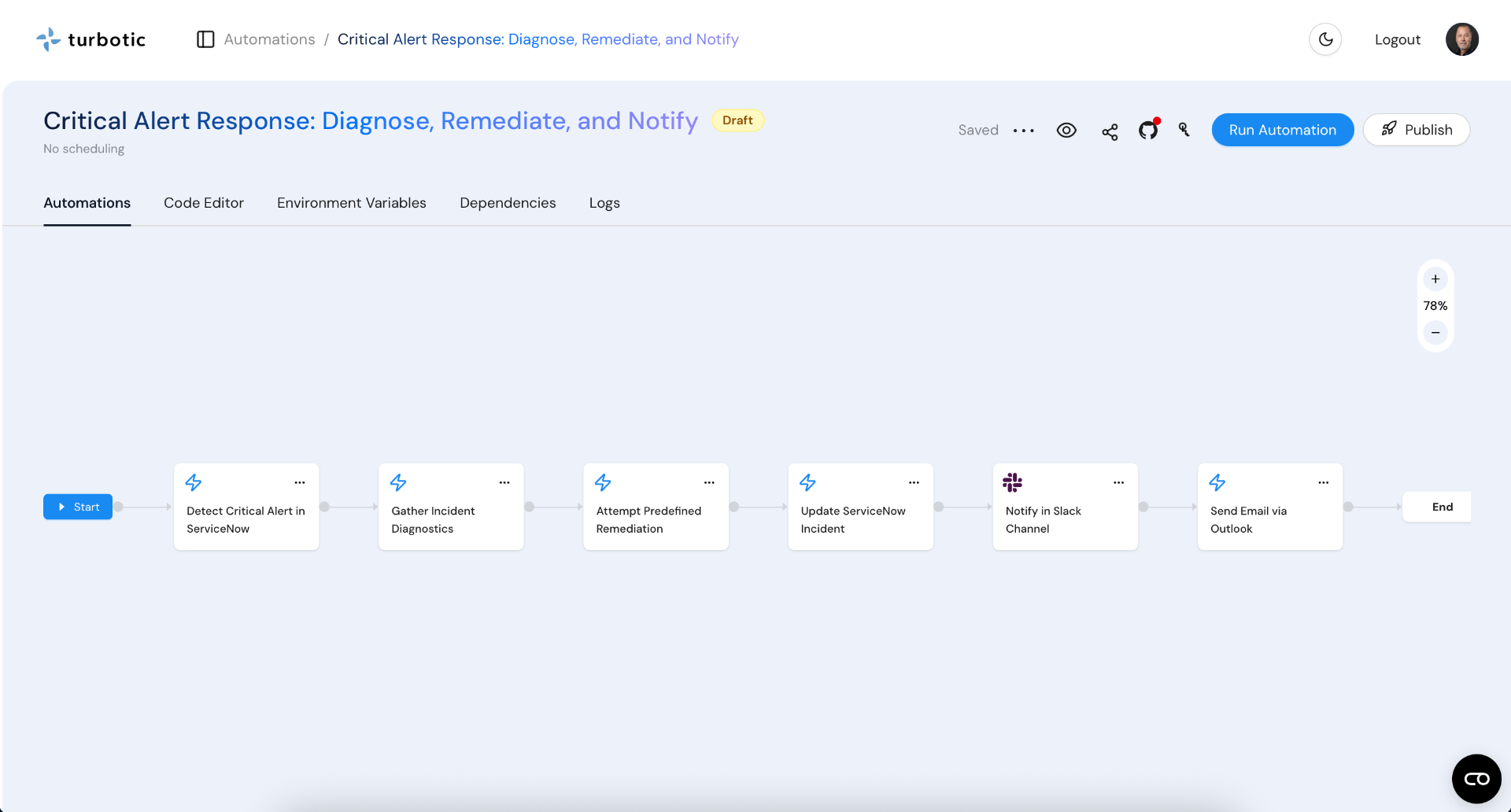
"When a critical alert occurs, gather diagnostics, attempt predefined remediation steps, update the incident ticket, and notify the on-call team if unresolved."
Automation AI builds and runs the workflow across your IT stack, while Orchestration keeps it governed and observable.
What the automation does
- Detects alerts from monitoring systems
- Collects logs, metrics and system diagnostics
- Executes remediation actions (restart service, scale resource, clear queue)
- Updates incident tickets automatically
- Notifies on-call teams and stakeholders
- Escalates unresolved incidents
- Records actions and outcomes
- Maintains incident history and audit trail
Outcome metrics
- Faster incident resolution (lower MTTR)
- Reduced downtime
- Consistent response procedures
- Less manual triage work
- Improved operational visibility
Incidents move from detection to resolution automatically.
Why automate your IT operations?
Increase reliability
Automated response reduces downtime and service impact.
Reduce manual effort
Eliminate repetitive diagnostics and remediation tasks.
Standardise operations
Ensure consistent incident handling across teams.
Scale IT without headcount
Handle more systems and alerts without growing the team.
How to automate your IT workflows
Identify repetitive operational processes (like incident response)
Describe the automation in Turbotic Automation AI
Connect monitoring, ticketing and infrastructure tools
Launch it — governed and monitored by Turbotic Orchestration
No coding. No runbooks to script by hand. Just describe and automate — and if you'd rather not do it alone, Turbotic's service team builds and runs it with you.
IT automation in action
IT teams use Turbotic Automation AI to:
- Resolve common incidents automatically
- Enrich and route alerts
- Execute remediation playbooks
- Maintain up-to-date tickets
- Coordinate response workflows
IT operations run continuously, governed by Turbotic Orchestration, with minimal manual intervention.
IT automation FAQs
One platform for end-to-end IT automation
Turbotic Automation AI connects your IT stack and builds the workflows; Turbotic Orchestration governs, monitors and scales what's running across it.
- Monitoring and observability systems
- Incident and ticketing platforms
- Cloud and infrastructure tools
- Logging and diagnostics systems
- Notification and collaboration tools
Automation runs across your entire IT operations lifecycle — with our team on hand to help you build and scale it.
Start automating your IT operations today
Build IT workflows with Turbotic Automation AI, govern them with Turbotic Orchestration, and increase reliability with the Automation AI platform.
Hear us. Meet us. See us.
Our latest thinking, and where to find us in person.
 Upcoming
Retail Supply Chain & Logistics Expo
Meet the people shaping smarter retail operations, logistics and supply chains through AI and automation.
 Upcoming
Techarena 2027
Turbotic returns to Scandinavia’s meeting place for technology leaders, founders and investors.
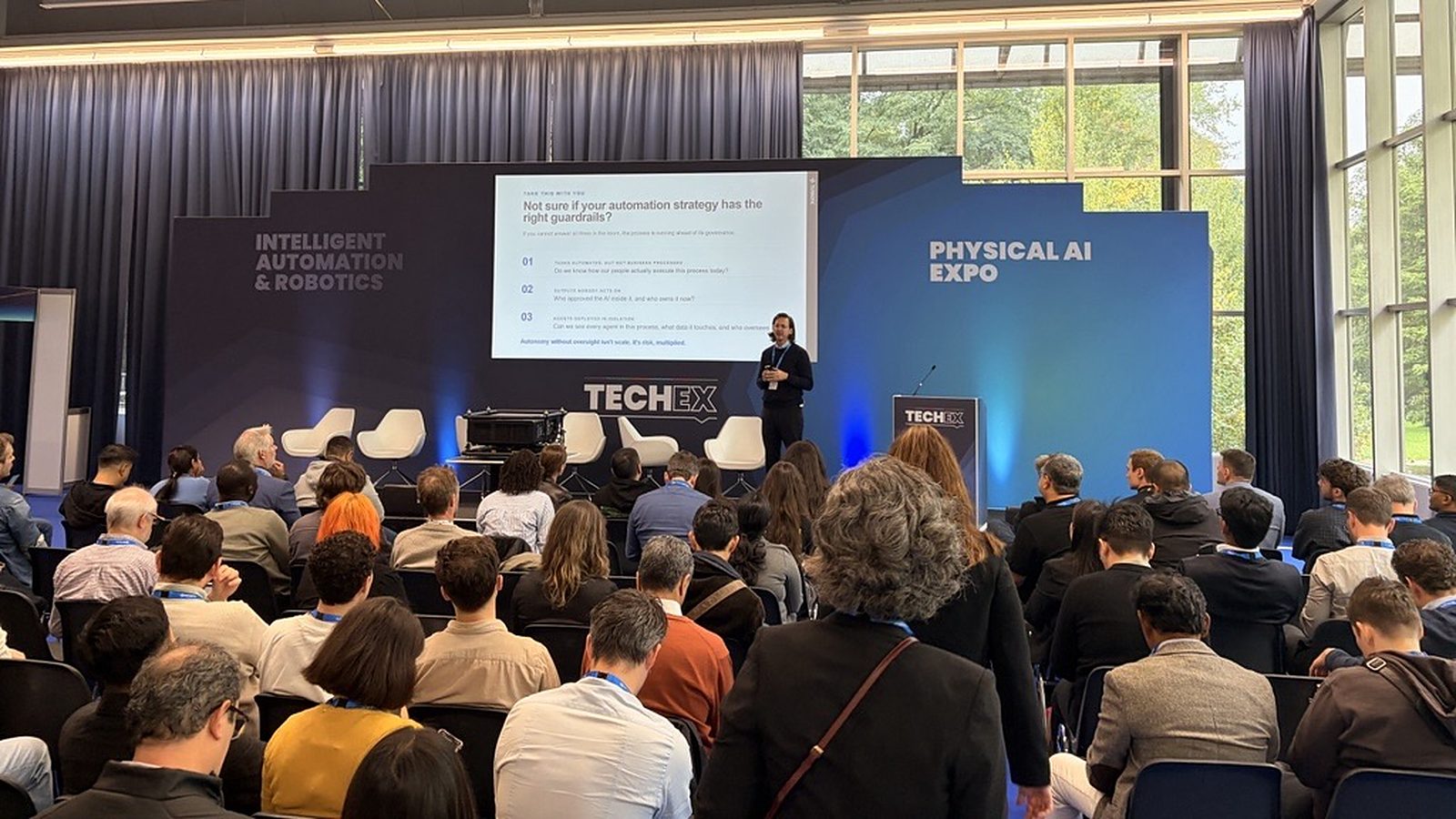
New technology, same problem – reflections from TechEx Amsterdam
Two days at TechEx Amsterdam confirmed it: the models are new, but the hard part is still the journey from pilot to shareholder value. Four takeaways on shadow AI, governance and running AI in production.

TechEx Europe
Join enterprise technology leaders exploring AI, automation, data, cyber security and digital transformation.

Governance Is the #1 Barrier Keeping UK AI Stuck in Pilot
New Turbotic research finds governance and compliance is the top barrier stopping UK businesses from moving AI beyond the pilot stage — and only 16% say they are deploying AI at scale successfully. Here's what's holding them back and how to fix it.

Shadow AI isn't an employee problem. It's a leadership problem
Shadow AI exposes businesses to risks. Turbotic CEO Theo Bergqvist explains why leaders must prioritise visibility, governance and trust over blanket bans.

Governance tops list of barriers holding back UK AI pilots, research shows
Governance and compliance is the most commonly cited barrier to moving AI beyond the pilot stage, identified by 37% of UK businesses, according to new research from Turbotic.

Governance tops list of barriers holding back UK AI pilots
Governance is the leading barrier holding UK AI pilots back, according to new Turbotic research — ahead of proving ROI and closing skills gaps.

Governance concerns hold back UK businesses from scaling AI beyond pilots
Governance, ROI proof and skills gaps are the top barriers stopping UK businesses scaling AI beyond pilots, new Turbotic research finds, with only 16% deploying it successfully at scale.